
AI for Wezen
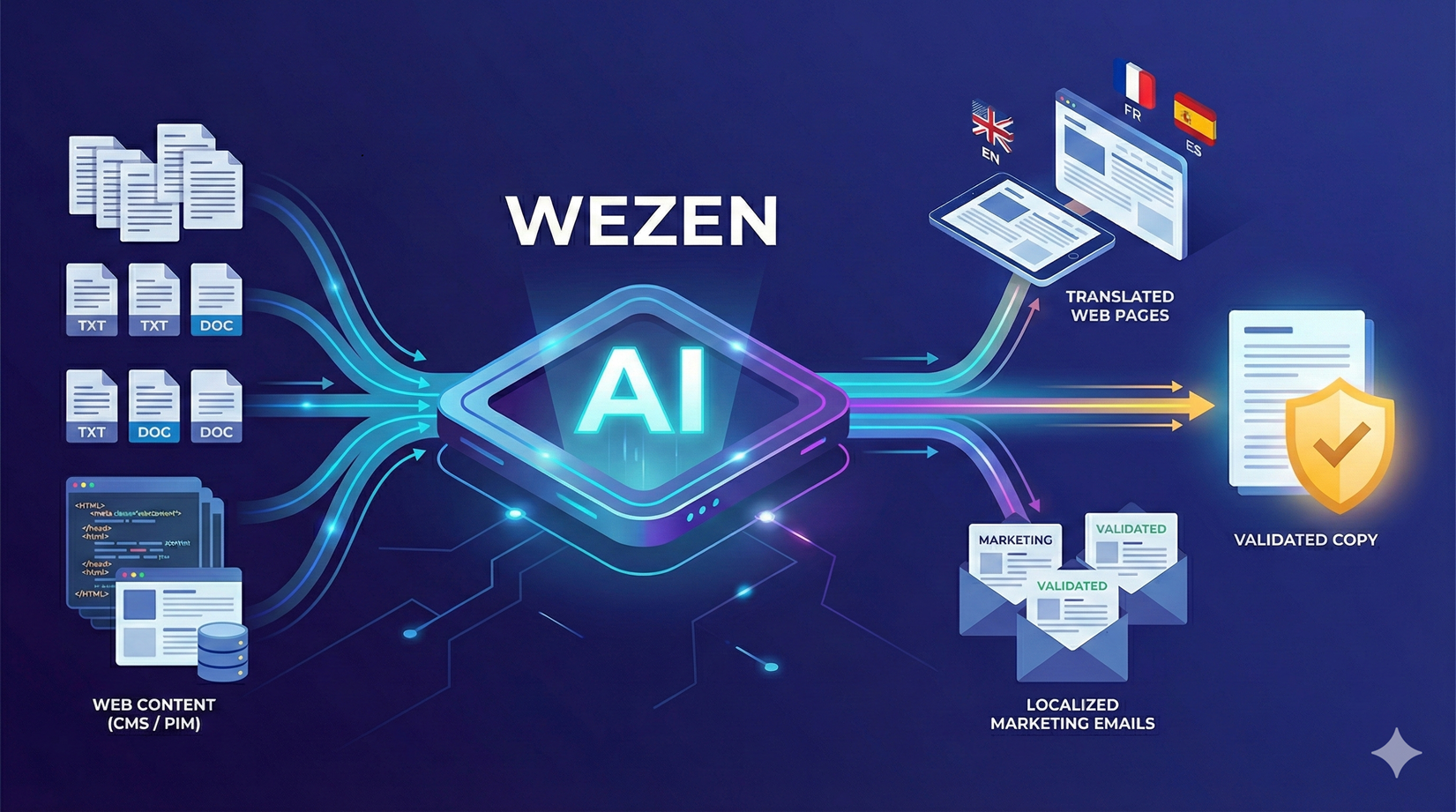
Leverage AI in Wezen to augment your content's productivity. Whether it's with the AI solution Wezen offers or your own solution you plug to Wezen, you can accelerate your work by automating the copywriting and translation of your content though your workflows. You can leave it all up to AI to do the end-to-end copy management, or just ask for its help kickstarting or correcting your tasks.
Ask your customer success manager for a more detailed presentation of the possibilities offered to you.
New features
Global
- Implemented a new feature to handle permissions and roles within the platform. Now, each user can have a better scoped access to ressources and features, and admins can manage users more easily
Studio
- Users can now interact with AI from within the translation and copywriting studio. A dedicated widget allows the user to use the AI agents he has setup for his project
Enhancements
Global
- Added the locale en-EU (english Europe) in the list of handled locales
SAM
- Users can now know in the version's preview if a fragment is localizable or not
- Added the possibility to add/hide columns in the asset table of SAM
- When asset's have a linked image coming with it, the image now appears instead of having simply the link
SAM Workflows
- In the "Write" step in SAM wrokflows, users can now filter fragments based on the fragment name to determine which should be considered as context vs to be copywrited
- Users can now set labels on tasks based on a version property in SAM
- Labels attached to an asset in SAM can now be passed along to the corresponding tasks in Write
- Added the possibility to transfer the suggested delivery date defined on SAM assets to Translate and Write tasks
- Added the possibility to transfer the labels attached to SAM assets to the Translate and Write corresponding tasks
In & Out
- Global
- Users can now manually refresh a channel to update its data
- Content browser
- Users can now follow the progress of files upload in the content browser when linking them to their assets
- Contentstack
- When importing content from Contentstack, the asset's version fragments will show a new property called "Localizable", stating if this is coming from a localizable attribute or not
- You can now define if you want to import only specific locales versions as source content. This feature helps in particular users who have big catalogs, improving the performances of the channel when pulling content
- Quable
- Users can now set up a Quable channel in Wezen with the content browser option
- Salsify
- Users can now determine a list of imported locales and a default one to ensure creating the assets even when pulling empty records
- Shopify
- The Shopify connector has been upgraded to handle templates as an asset type
- SAM Files
- Enhanced the locale chip display in SAM files to make long locale codes fit inside them
- Changed the popin display when creating a new SAM Files repository to have the SAM files logo appear first, which is the most used option
- Added the possibility to select cells from other sheets when extracting content from excel files
Studio
- When using QA checks auto fix, users were redirected each time to the relevant segment while losing the view over the other fixes. The UX has been improved to keep the view over all the QA checks
- Added a button to copy source content to the clipboard
- Apostrophes and quotation marks are now automatically based on the target language in the studio
Write
- Added the possibility to attach labels to a copy directly when creating the copy
- Write templates now complete and merge with what comes from the asset's version sent to Write. This feature allows you to enrich within Wezen the content received from any outside source of data
Bugfixes
Global
- Fixed issue where the maintenance mode warning for users did not appear on screen eventhough the system was on maintenance
- Fixed issue where the grouped ressource creation feature didn't work if the users attached to it were given more than one role
SAM
- Fixed issue where adding a specific locale to an existing language set would erase the existing list of locales in the set
- Fixed issue where version would remain in "Done" status instead of "In progress" when the corresponding task was being post edited
SAM Workflows
- Fixed issue where the SAM workflows could not be read nor edited
- Fixed issue where sometimes content browsers would send old versions of the asset into the workflow when actually trying to send the newest version
- Fixed issue where the Write step in SAM workflows could not interprete the attribute "Locales" to know which are the target locales to apply
- Fixed issue where the "Translate" step would not work, stopping from creating versions
- Fixed issue where the dropdown menu to send assets into a workflow would not appear
- Fixed issue where the number of assets that went throught each workflow step was sometimes wrong
- Fixed issue where it was not possible to send a version manually into a workflow with a translation step
Campaigns
- Fixed issue where the wrong colors would be displayed on countries, making the data false
In & Out
- Channels
- Akeneo
- Fixed issue where some localizable content from Akeneo appeared as unlocalizable in Wezen
- Fixed issue on the Akeneo content browser where it would not import into Wezen all the products from the user's Akeneo instance
- Salsify
- Fixed issue which created too many duplicate versions when pulling content from Salsify
- Fixed issue which would block the reintegration of content into Salsify if the title contained a space
- Contentstack
- Fixed issue where localizable JSON fields in Contentstack would be set as version properties in Wezen instead of fragments
- Content browser
- Fixed issue where manually refreshing an asset in the content browser would make the existing "Origin" version disappear
- Fixed issue where in some cases the synchronization status for an asset's version was never "Never imported" when it should have been
- Fixed issue where the asset status displayed in the content browser would disappear
- Fixed issue where the filter on item types in the content browser did not work on assets with no versions
- Fixed issue on the content browser where the filter on the asset status did not work
- Shopify
- Fixed issue where manually refreshing specific assets in the Shopify content browser did not update the informations for these assets
- Fixed issue where default values for products options in Shopify were sent to Wezen even when there were no option for that product
- SAM API
- Fixed issue where trying to set a maximum characters limit on a field via the API would not be taken into account in Wezen
- Akeneo
- SAM Files
- Fixed issue where sometimes the script for Docx in SAM Files would extract unwanted data and put it in the generated assets
- Fixed issue where sometimes the file extraction info (ex: definition of the header in a file) was not saved
- Fixed issue where the script used to extract a file was not displayed anymore in the table of files
- Fixed issue where target injection didn't work when reintegrating translated content in a file
- Fixed various UX issues when previsualizing a file in the script editor (ex: 1st line of the file doubled)
- Fixed issue where pptx notes were extracted and sent for translation eventhough the script said to exclude them
Translate
- Fixed issue where users could not set up their MT/AI provider in the settings, getting a 500 error
- Fixed issue where in rare occasions the translation done would not be saved
- Fixed issue where some segments would not appear in the memory widget
- Fixed a display issue in the Translate task screen when filtering. If the user filtered on "Source" then tried to group results by target languages, some of the expected results would not appear
- Fixed issue where the "Validate all" button in the Translate studio would not work
- Fixed issue where the self-moving panel for tasks assignation would not work
- Fixed issue where correlations were not dynamically updated in the studio when the Dynamic Studio option was on
- Fixed issue where users could not see the autofill threshold value
- Fixed issue where the number of tasks in the view when grouping them in the Tasks screen was not visible
- Fixed issue where users couldn't deactivate machine translation when it was already linked to a project
- Fixed issue where managers could not access the translate team space when they also had the translator and reviewer roles
- Fixed issue where in some cases, the the tasks could be sent to the same status it already is (ex: approval to approval)
Write
- Fixed issue where deleting a copy in the Tasks screen would change the view and make archived copies appear
- Fixed issue where users couldn't tag other users in the Write comment section of the studio
- Fixed the "Linked copies" feature in the Write template screen which would lead to an error page
- Fixed issue where QA checks did not warn users that exceeded the defined character limit on a fragment
- Fixed issue where users could not filter on the creation date in the Write tasks screen
- Fixed issue where users needed to reload the studio page to see their fragments validated instead of seeing this micro status change live when validating a fragment
- Fixed issue where the "Validate all" button in the Write studio would not work
- Fixed issue where hovering over the plus-sign icon in the GenAI widget would wrongly display the tooltip "Delete thread"
- Fixed issue where users could not assign a task from within the studio
- Fixed issue where the copy would appear empty eventhough its origin version had fragments with content in it
- Fixed issue where the dynamic studio would wrongly erase content written by the user
- Fixed display issues with the group by feature
- Fixed UX issue where the "Final" status was not visible in the studio due to colors displayed
- Fixed issue where the group by option in the filters would give 500 error
Studio
- Fixed issue where the QA checks would modify an MRK tag that was actually correct
- Fixed issue where QA warnings were not updated after QA check autoresolution
- Fixed issue within the translation studio where the status of the task disappeared in specific cases
- Fixed issue where the "Validate all" button would not work
- Fixed issue where trying to write a long comment in the studio would make the cursor disappear
Memory
- Fixed issue where trying to download a selection of segments in the memory would give an empty TMX in the end
- Fixed issue where trying to download a TMX with an incorrect locale code could sometimes block the whole instance from downloading TMX files
- Fixed issue where trying to donwload a translation memory using the "Preferred" filter would cause a 500 error
- Fixed issue where the "Insert/Replace" button in the memory widget was broken
- Fixed issue where some terms in some cases terms used for the search in the memory widget would not be highlighted
- Fixed issue where using the replace button in the memory would add unwanted "&" tags
Termbase
- Fixed issue where some target terms from the termbase would not be highlighted in the studio
- Fixed issue where terms were wrongly duplicated in the termbase
- Fixed UX issue where, when navigating between segments, the term shown in the termbase widget would never change
- Fixed issue that prevented linking two terms in the same language in the termbase
Notifications
- Fixed issue where the "Availability" notification would not be sent to users
- Fixed issue where the URL of the task assigned to a user would be wrong in the notification sent
- Fixed issue where users would not receive a notification when they're assigned to a task, eventhough they activated that rule in the notification center
Purchase order
- Fixed issue where the purchase order had wrong numbers about new segments when the auto correlation break feature was on
- Users are now able to filter on a label when doing a request in the Purchase Order by Username